
Invoice & Ledger Dashboard
Sample records only, every name, number, and invoice below is sample.
Open invoices$4,820
Paid this month$8,440
Past due$780
Avg. collection12 days
| Invoice | Customer | Status | Amount |
|---|---|---|---|
| INV-1042 | Sample Market | Paid | $1,250 |
| INV-1043 | Demo Foods | Past due | $780 |
| INV-1044 | Example Grocery | Open | $2,790 |
| INV-1045 | Mock Deli | Open | $1,250 |
| INV-1046 | Training Account | Paid | $2,400 |
What it does
- Pulls every invoice and payment into one clean dashboard, no more scattered spreadsheets or paper.
- Live totals at a glance: open balances, paid this month, past-due, and average days to get paid.
- One-tap status filters (Paid / Open / Past due) so you instantly see who to chase.
- Keeps each customer's history, dates, and next action in one place, nothing slips through.
- Flags past-due accounts automatically so follow-up actually happens on time.
- Records stay searchable and exportable for taxes, disputes, or month-end review.
The live tool runs on real business records, so it's kept locked for privacy, this sample shows exactly how it works.
Auction Predictor
Drag the sliders, the prediction updates live. All inputs and outputs are sample.
Predicted sale range
$1,890–$2,180
Suggested bid ceiling$2,050
What it does
- Takes a few quick inputs about a lot, weight, condition, and current market trend.
- Estimates a likely sale-price range in real time as the numbers change.
- Shows an illustrative bid ceiling from a fixed formula. It is not a price guarantee, appraisal or financial advice.
- Adds sample freight and handling assumptions; your real costs must be checked separately.
- Lets you size up lots quickly and consistently instead of guessing.
- Turns gut-feel auction calls into fast, repeatable, numbers-backed decisions.
The live version is tuned to one buyer's private cost model, so it's locked for privacy, this sample shows how it's used.
Operations Model
Sample workflow metrics, example values.
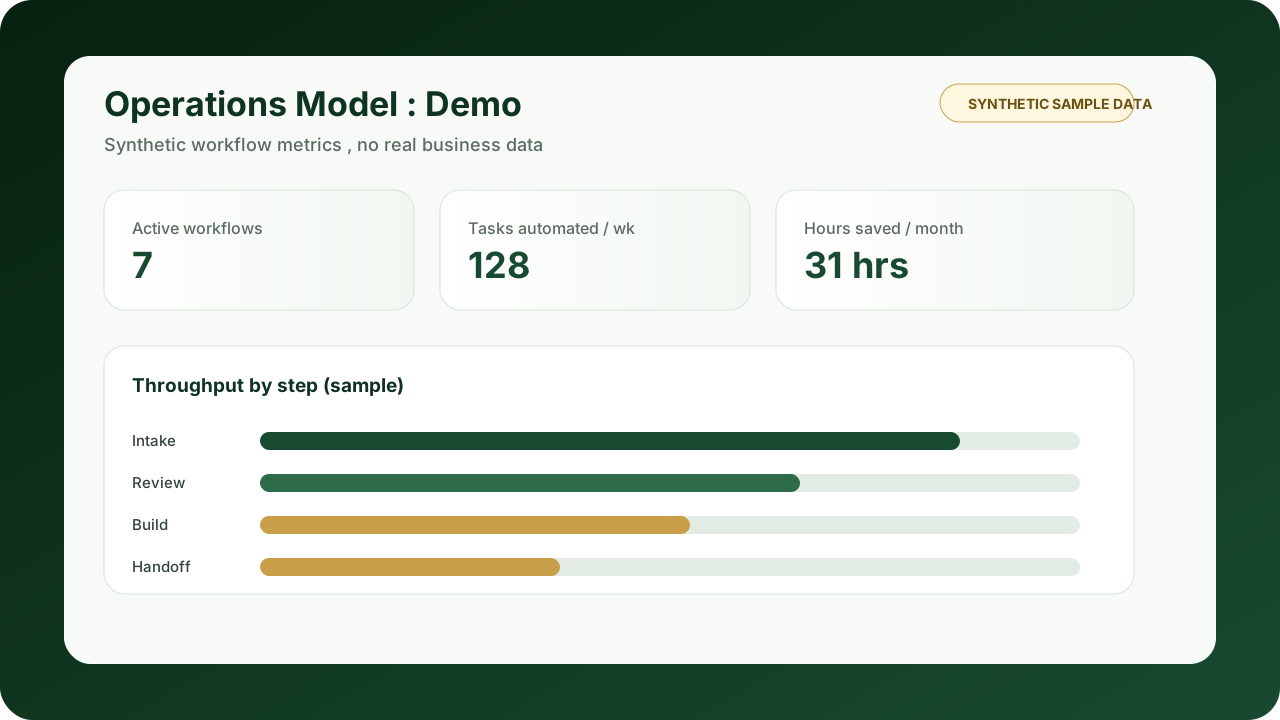
Active workflows7
Tasks automated / wk128
Hours saved / month31 hrs
Slowest stepBuild
What it does
- Maps every manual, scattered step of the business into one connected workflow view.
- Shows where time actually goes across intake, review, build, and handoff.
- Pinpoints the slowest step, the bottleneck, so you fix what matters first.
- Quantifies hours saved and tasks automated each week and month.
- Makes the case for what to automate next, in plain numbers an owner can act on.
- Replaces juggling tools in your head with one simple operations dashboard.
Built around one business's real process, so the live version is kept locked for privacy, this sample shows the idea.